
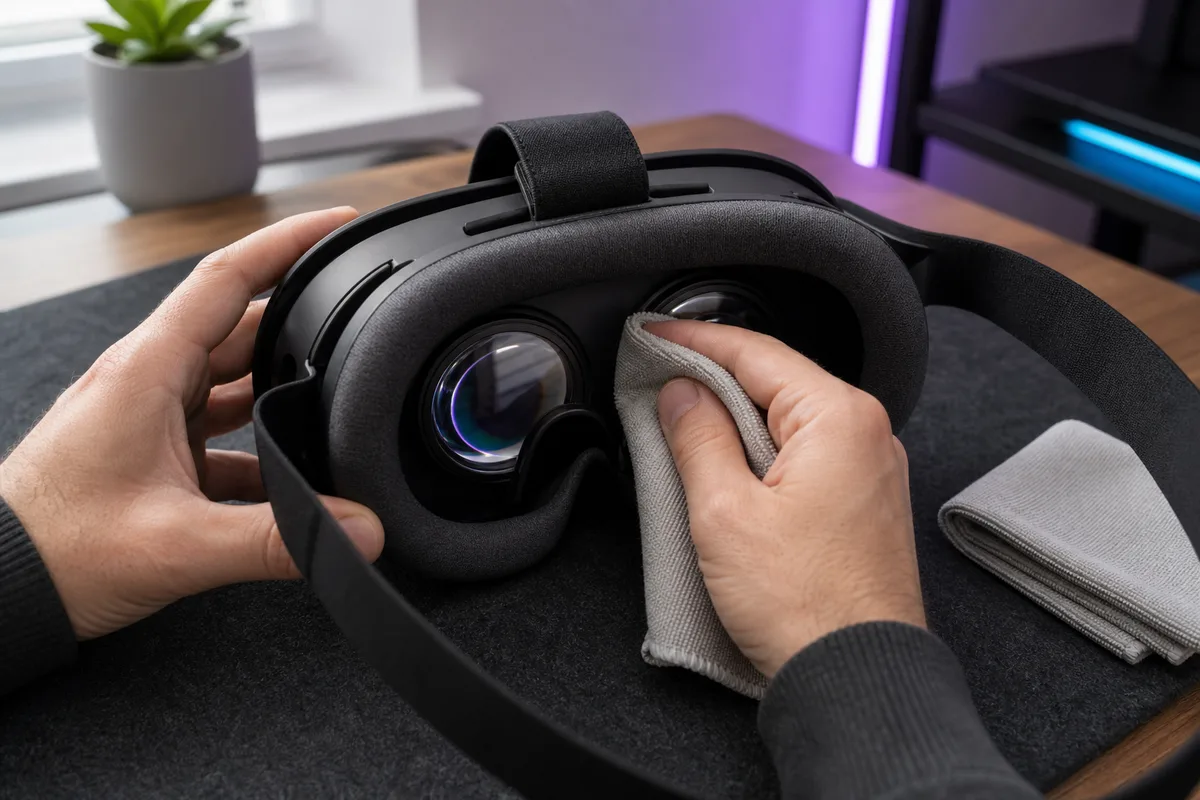
The safest universal lens-cleaning rule is simple: start with a clean, dry optical microfiber cloth and the instructions for your exact headset. Liquids, alcohol, glass cleaner, paper products, and disinfecting wipes can damage plastic lenses or coatings.
The rest of the headset is not one material. Treat lenses, electronics, removable fabric, silicone, and controllers as separate cleaning jobs.
Before cleaning anything
- Power the headset off completely.
- Unplug charging, PC, audio, and battery cables.
- Wash and dry your hands.
- Work on a clean, stable surface away from direct sunlight.
- Remove detachable interfaces, straps, and inserts only as the manual describes.
- Check the manufacturer care page for your exact model and accessory revision.
Do not clean a powered headset after an intense session while sweat is still running toward vents. Blot approved exterior areas, detach washable parts, and let everything cool.
What you need
- two clean optical-grade microfiber cloths;
- a soft lint-free cloth for non-lens exterior surfaces;
- fresh water and mild soap only for parts whose instructions permit them;
- a clean drying area with good airflow;
- the manufacturer instructions for the headset and third-party interface.
Keep the lens cloth in a clean pouch. A microfiber cloth that has collected grit in a pocket can scratch more effectively than a paper towel.
Clean VR lenses with the least aggressive method
Step 1: inspect under soft light
Look for loose dust, eyelashes, and grit before rubbing. Do not aim the lenses toward a sunny window; they can focus sunlight onto the internal display.
Step 2: use a clean, dry optical cloth
With very light pressure, wipe from the centre outward in small circles. Use a clean area of the cloth for each lens. The goal is to lift skin oil, not polish the surface.
Step 3: stop if a mark does not move
Do not increase pressure or reach for household cleaner. Check the headset’s official guidance or contact support. A mark may be coating damage, an internal defect, or contamination that needs model-specific advice.
PlayStation tells PS VR2 owners to wipe lenses only with a soft, dry cloth made for lenses on its care and maintenance page. Apple similarly begins with a clean, dry microfiber cloth for Vision Pro displays, while permitting a specific ZEISS spray applied to the cloth in certain Vision Pro instructions. That difference is why one brand’s exception is not permission for another headset.
Never use these on lenses unless the maker explicitly says so
- isopropyl or rubbing alcohol;
- ammonia or household glass cleaner;
- disinfecting wipes;
- eyeglass spray chosen only because it is safe for your glasses;
- paper towel, tissue, cotton clothing, or a shirt;
- abrasive polishing compound;
- canned air held close to the lens or seals;
- tap water, breath condensation, or saliva;
- anti-fog products.
“Lens cleaner” is not a universal material standard. VR optics can use plastic elements and specialized coatings.
Clean the facial interface according to its material
The facial interface collects skin oil and sweat. First determine whether it is removable and what it is made from.
Removable fabric or foam
Follow its wash instructions exactly. If hand washing is permitted, use the stated soap amount and water temperature, rinse thoroughly, reshape gently, and air dry completely. Do not reinstall damp foam against electronics.
Wipeable silicone or synthetic surface
Remove it if designed to detach. Wipe with the product’s approved method, including seams and nose areas, then let it dry completely. Do not let liquid migrate onto lenses, cameras, speakers, or connectors.
Bonded stock interfaces
Do not soak the visor or force liquid into bonded foam. Blot sweat promptly with an approved cloth and consult the model guide for deeper cleaning.
Third-party facial interfaces have their own instructions. The accessory maker’s cleaning method applies to the removable accessory, not automatically to the headset around it.
Clean straps and soft parts separately
Detach straps only when the manufacturer describes how. Plastic adjustment mechanisms, embedded speakers, electrical contacts, and fabric bands cannot all be washed the same way.
- Brush or wipe dry debris first.
- Use a barely damp lint-free cloth only where permitted.
- Keep water away from speakers, microphones, connectors, and battery assemblies.
- Do not twist, machine dry, or heat soft parts unless instructions allow it.
- Air dry completely before reassembly.
Apple’s Vision Pro cleaning instructions distinguish the displays, cover glass, Light Seal Cushion, head bands, cover, curtain, and Audio Strap. That part-by-part approach is a good model for every headset even though the permitted products differ.
Wipe the visor exterior and tracking cameras carefully
For hard exterior surfaces, use a soft lint-free cloth. If the headset instructions permit a slightly damp cloth or a named wipe, apply it to the cloth—not directly to the device—and avoid seams and openings.
Tracking cameras need clear surfaces, but they are also optics. Use the manufacturer’s method and light pressure. Do not scrape a camera window or clean around it with a dripping cotton swab.
Clean controllers without feeding liquid into them
- Remove replaceable batteries if the controller design allows it.
- Wipe the shell with an approved soft cloth.
- Keep moisture away from thumbsticks, buttons, triggers, charging contacts, seams, and tracking openings.
- Clean wrist straps separately if the instructions permit.
- Let controllers dry fully before replacing batteries or charging.
If a thumbstick drifts, liquid cleaner is not a safe default fix. Check official troubleshooting or warranty support before spraying anything into the mechanism.
A routine for shared or fitness headsets
Between users:
- use individual prescription inserts where practical;
- replace or clean the removable facial cover using its approved method;
- wipe approved controller and visor contact surfaces;
- never share a damp interface;
- wash hands before use;
- allow enough drying time rather than sealing the headset in a case.
For high-turnover commercial, healthcare, or training use, consumer blog advice is not an infection-control plan. Follow the device vendor’s enterprise guidance and your organization’s health and safety requirements.
Prevent grime instead of deep-cleaning more often
- Start sessions with clean, dry skin and hands.
- Use a washable interface designed for exercise if you sweat heavily.
- Let the headset air out after use.
- Store the lens cloth in a clean pouch.
- Keep the headset covered from dust but never seal it while damp.
- Keep lenses pointed away from windows and direct sun.
- Do not rest the headset lens-down on a surface.
- Keep cosmetics, hair products, food, and drinks away from the interface.
Prevention reduces the number of times fragile optics need to be touched.
The two-cloth rule
Keep one cloth exclusively for lenses and one for approved exterior surfaces. Mark their storage pouches, not the cloth surface. Wash or replace them according to the cloth maker’s directions and never use fabric softener, which can leave residue.
If the lens cloth falls on the floor, retire it to non-optical duty until properly cleaned.
Cleaning checklist
- Headset is off, unplugged, cool, and away from sunlight.
- I checked the exact manufacturer instructions.
- My optical cloth is clean, dry, and free of grit.
- No household chemical will touch the lenses.
- Removable skin-contact parts are cleaned separately.
- No liquid can enter a camera, port, speaker, button, or seam.
- Every part is completely dry before reassembly or storage.
- A stubborn mark goes to support—not a stronger chemical.
Manufacturer references
- PlayStation: clean your PS VR2 system — lens, headset, controller, and vent guidance.
- Apple: clean Apple Vision Pro and accessories — separate methods for each material and component.
- Meta Quest Safety Center — select the exact model for current safety and care documents.
Manufacturer instructions override this general guide. If you cannot identify the headset or lens material, contact its support team before applying any liquid or chemical.