
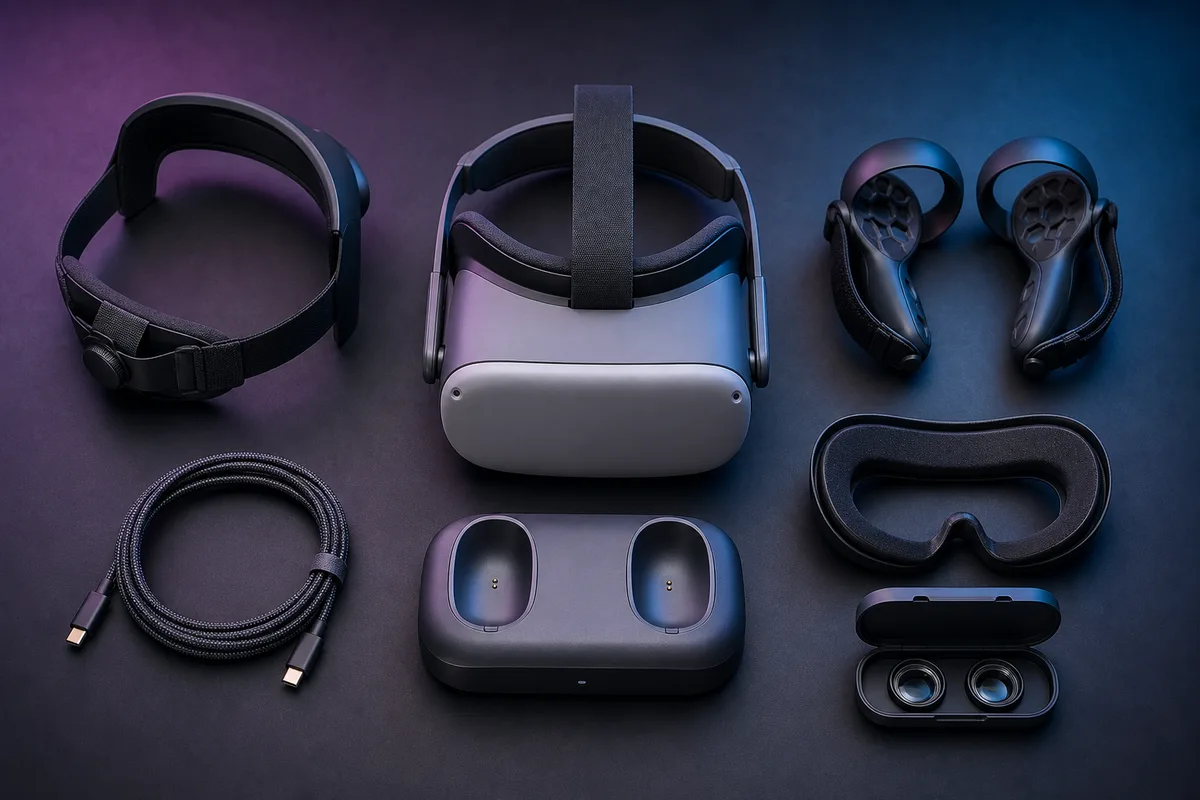
Do not buy a “complete Quest accessory kit” on day one. Use the headset first, identify the problem that repeatedly ends or spoils a session, then buy the smallest compatible item that fixes it.
For many owners the order is vision or fit first, hygiene second, battery third, convenience last. Your order may be different—and that is the point.
The priority table
| Problem you actually have | Accessory to consider | Priority | Skip when |
|---|---|---|---|
| Headset slides or creates painful face pressure | Better-adjusting head strap | High | The included strap stays comfortable for a full session |
| Glasses touch or crowd the lenses | Prescription inserts | High | You do not need vision correction or safe clearance is already excellent |
| Sweat soaks the interface or several people share it | Removable interface or washable cover | High for fitness/shared use | You play short, dry sessions alone and can clean the stock interface safely |
| Battery ends sessions you wanted to continue | Compatible battery strap or pack | Medium | You naturally stop before the headset battery does |
| You play PC VR and Wi-Fi is not reliable enough | Correct-spec USB cable or network improvement | Medium | Wireless PC VR is stable or you do not use PC VR |
| Controllers feel insecure | Compatible knuckle-style grips | Medium | Wrist straps and stock controllers already feel secure |
| You travel or have no safe storage shelf | Rigid case with lens protection | Medium | The headset stays safely covered at home |
| You forget to charge everything | Compatible charging dock | Low | A normal cable routine works |
This table is a decision order, not a shopping list.
First, avoid the compatibility trap
“Works with Quest” is not specific enough. Before ordering, verify all of these:
- Exact headset: Quest 3, Quest 3S, Quest 2, and Quest Pro have different shells, lens shapes, and interfaces.
- Accessory revision: manufacturers sometimes update mounts, batteries, or included adapters without changing the family name.
- Other accessories: a larger strap may not fit a stock case; controller grips may block a charging dock; lens inserts may change eye relief.
- Charging requirements: confirm supported voltage, current, connector orientation, and pass-through behaviour.
- Return terms: fit is personal, and third-party combinations can conflict.
When a listing uses the same review photos for several headset models, read the model selector and recent compatibility notes twice.
1. A head strap—if fit is the problem
The included fabric strap is light and portable, but some users need more structure or rear support. There are two common approaches.
Elite-style straps
These cradle the rear of the head and tighten with a dial. They usually preserve a visor-like shape, pack more easily than a halo, and can feel secure during active games.
Choose one when you want a firm fit and the pressure on your face remains comfortable. Avoid overtightening; the top strap should share the load.
Halo-style straps
These place more load across the forehead and rear band so the facial interface can sit more lightly. They often take more storage space and may move differently during fast exercise.
Choose one when face pressure is the main complaint. Check whether headphones, hair, a high-backed chair, or your case interfere with the rear assembly.
Battery straps
A rear battery can extend runtime and counterbalance front weight, but it also increases total mass. Buy it when both balance and runtime improve your sessions—not because a bigger milliamp-hour number looks impressive.
BOBOVR and KIWI design are established starting points in this category. Confirm the exact headset and current mounting kit on the manufacturer’s page; TryVR is not claiming every strap fits every Quest.
2. Prescription lens inserts—if you wear glasses
Glasses inside a headset create three risks: frame pressure, reduced field of view, and lens-to-lens contact. Inserts clip or magnetically attach over the headset optics and move vision correction into the device.
Before ordering:
- use a current prescription with the requested sphere, cylinder, axis, and prism details;
- confirm whether the vendor supports your prescription range;
- choose the exact Quest model;
- check whether coatings are optional or included;
- leave enough eye relief so eyelashes do not brush the inserts;
- label inserts if several people share the headset.
VR Wave and HonsVR are examples of specialist suppliers, not automatic recommendations for every prescription. Compare total price, remake policy, shipping, and support in your region.
Plano inserts—with no prescription—can act as replaceable lens protection, but any extra optical surface can introduce reflections and needs cleaning. Use them when the protection benefit outweighs that trade-off.
3. A removable facial interface—for sweat or sharing
A facial interface changes hygiene, light blocking, eye distance, ventilation, and sometimes field of view. It can also change how every strap feels.
Consider one when:
- you use VR for fitness;
- several people share the headset;
- the stock material irritates your skin;
- you need an interface that can be removed and cleaned more easily;
- glasses need a different depth adjustment.
Do not assume “PU leather” means no maintenance. Wipeable surfaces still need manufacturer-approved cleaning and complete drying. Vented interfaces may reduce fog for some rooms but can admit more light.
VR Cover specializes in facial interfaces and washable covers. Match the product to the exact headset and follow its care instructions separately from the headset lens instructions.
4. Battery power—only after measuring your sessions
For one week, note when you stop and why. If you usually stop because your face, eyes, schedule, or game says “enough,” more battery will add cost and weight without extending useful play.
If the headset battery repeatedly ends sessions you wanted to continue, compare:
- rear-mounted battery strap versus a pocket pack;
- added weight and balance;
- charge rate while the headset is active;
- capacity stated in watt-hours, not marketing runtime alone;
- heat, cable routing, and physical strain on the USB-C port;
- whether the battery and headset can be stored partly charged as instructed.
Use reputable, model-specific power accessories. Stop using any battery that swells, smells unusual, becomes unexpectedly hot, or has a damaged cable or shell, and follow local battery-disposal rules.
5. A PC connection: cable or better wireless setup
A long USB cable is useful when wireless PC VR is unstable, the router is poorly placed, or a seated simulator makes a cable easy to manage.
Check:
- supported USB data speed and charging behaviour;
- sufficient length without creating a floor hazard;
- a right-angle connector that does not lever against the headset port;
- strain relief attached to the strap rather than hanging from the port;
- the computer port’s actual data specification;
- whether an active cable is required at the chosen length.
For wireless PC VR, spending money on a random “gaming router” is not the first step. Test the PC on Ethernet, headset signal strength, router placement, local congestion, and streaming settings. Virtual Desktop and the headset platform publish their own current requirements.
6. Controller grips—useful for security, not mandatory
Knuckle-style grips let you relax your fingers without dropping a controller. They can help active play, but add thickness and may interfere with tracking, battery doors, charging docks, or controller revisions.
Choose grips that:
- state the exact controller model;
- leave tracking LEDs or rings unobstructed;
- allow easy battery access;
- fit your hand without cutting circulation;
- still work with wrist straps where the manufacturer requires them.
Controller grips do not replace a clear room or sensible boundary.
7. Cases and lens covers—buy for your storage reality
A case is valuable when the headset travels, shares a shelf with dusty items, or has no protected home. It is unnecessary when you already have a stable, shaded cabinet.
Check that the case fits the installed strap, not merely the bare headset. A soft lens cover should be clean, non-abrasive, and shaped so it cannot press hard on the lenses. Never store a damp facial interface in a closed case.
Keep every headset away from direct sunlight. The lenses can focus sunlight onto the internal display and cause permanent damage.
8. Charging docks—convenience comes last
A dock can make a headset easy to grab and may reduce forgotten charging. It can also lock you into proprietary controller batteries, conflict with grips, or fail to fit a third-party strap.
Before buying, ask:
- Does it charge the headset, controllers, or both?
- Are special battery covers required?
- Does it fit my strap, facial interface, grips, and lens inserts?
- Can the contacts be kept clean and aligned?
- Is the normal USB-C cable already effortless?
If the cable works, keep the money for games.
What to skip until a real need appears
- Decorative shells and stickers: they can cover vents, cameras, or seams.
- Lens-cleaning liquids: use only what the headset manufacturer explicitly allows.
- Neck power banks: added cables and weight may create more problems than they solve.
- Unverified magnetic connectors: they can create poor contact or leverage at the port.
- Large audio add-ons: test built-in audio and your existing headphones first.
- Full bundles: bundled items are only a saving when you would choose each item separately.
A five-question buying test
For any accessory, answer:
- What exact repeated problem does this solve?
- Does the manufacturer list my exact Quest model and accessory combination?
- What new downside does it add—weight, heat, reflections, bulk, or maintenance?
- Can I return it after a realistic fit test?
- Would I still buy it if there were no countdown timer or bundle discount?
If question one has no concrete answer, wait.
Care and safety references
- Meta Quest Safety Center — choose your model for current warnings, charging, play-area, and accessory guidance.
- How to clean a VR headset safely — a conservative cleaning workflow with links to manufacturer instructions.
- How to set up a safer VR play space — cable, boundary, furniture, people, pet, and storage checks.
Accessory compatibility, battery designs, and model revisions change. Verify the exact manufacturer product page immediately before ordering. TryVR has not physically tested every product linked in this research-based guide and does not imply that every brand suits every user.